
The final step you need to do after you created a new page for the member is to activate the member. This will trigger a new email that will be send to the new member to tell him/her their registration has been approved.
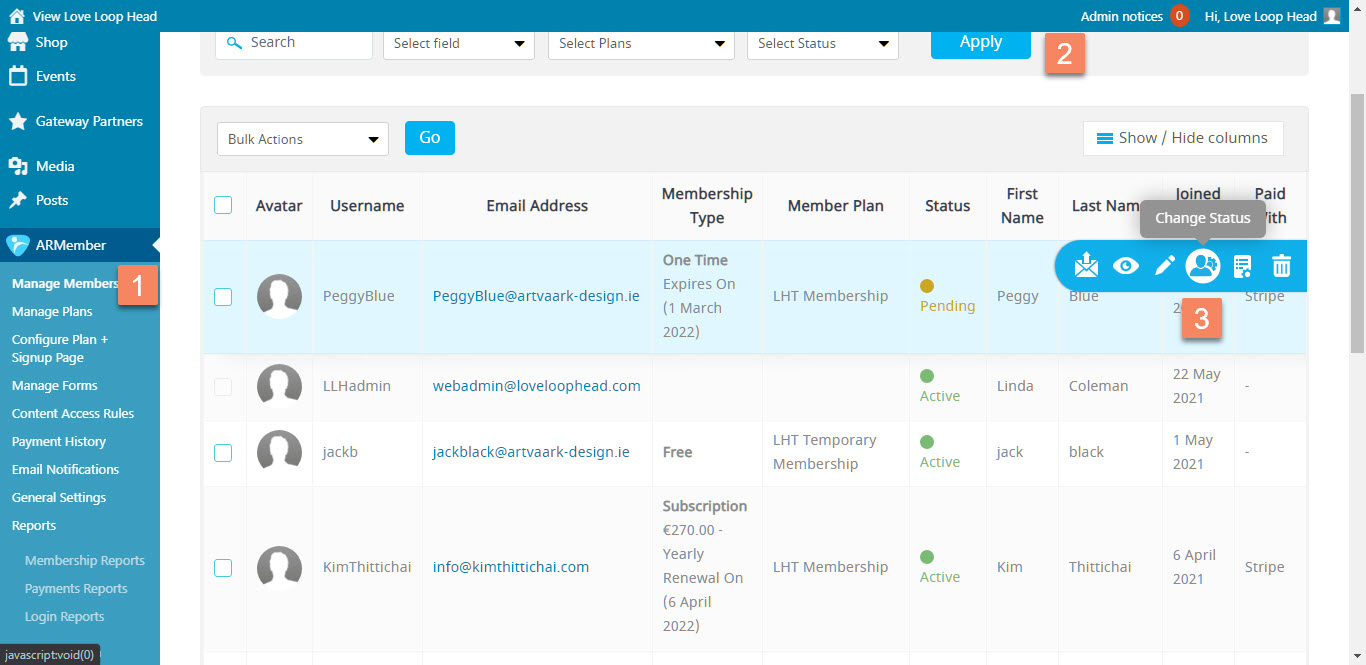
Figure 3
Follow these steps:
- Click on the WordPress admin menu ARMember (Figure 3.1). This will show you a page with all the current members (Figure 3).
- Find the new member. The new member will have a status of Pending. When a lot of new members have registered you can use the filter options to only show ‘Pending’ members, making it easier to find them (Figure 3.2).
- Hover over the member’s name and a blue submenu will popup (Figure 3.3). In that submenu click on the ‘Change Status icon and change the Status to ‘Activate’. Be sure the box is ticked next to ‘Notify user via email’ and click the blue OK button.