
Top Section
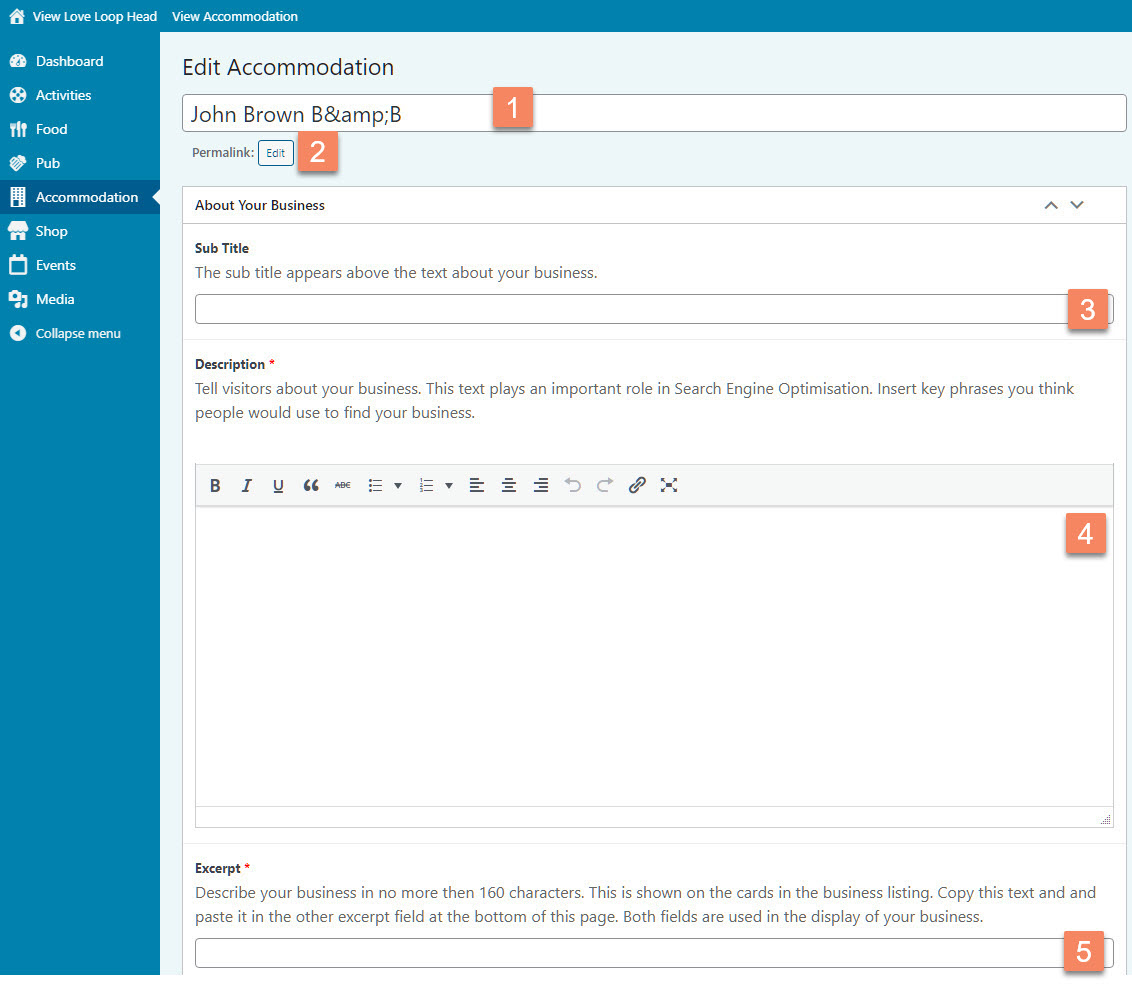
Figure 10
Page Title (Figure 10.1)
When you first go to edit your member page it will show you the main title in field 1 (Figure 10.1) This was entered by the website’s administrator when you registered as a LHT member. The main title is an important field as it is part of your member page website address or URL. In the example of John Brown B&B it would be https://loveloophead.com/accommodation/bb/john-brown-bb/
The title is also shown at the top of your member page (Figure 12.1)
We do not recommend changing it, because it can cause 404 errors in the website (404 means ‘page not found’)
If you need to change it, do it now, before you complete your member page. To change the title you:
- Select the title and type a new one.
- Click the small Edit button under the title next to Permalink. It will change into a button that says OK
- Click the OK button
- Click the Save Draft button on the right to save your page. (Figure 11)
Saving your page

Figure 11
It is important to understand that you can save your page in two ways. You can save it as Draft or Publish it. (Figure 11)
Draft means that your changes are saved but your page is not viewable on the front-end. Publish means that your page can be viewed on the front-end.
Once you have published your page the blue button will change to say Update.
We recommend to save as draft as long as you are still working on your member page. You can see what it will look like by clicking on the Preview button, which will open a new browser tab with your page.
Sub Title (Figure 10.3)
The sub title (Figure 10.3) appears above the text about your business. It can be used for a slogan. Keep it short and simple.
Description (Figure 10.4)
In the description (Figure 10.4) you can tell visitors about your business. This text plays an important role in Search Engine Optimisation. Insert key phrases you think people would use to find your business. For example, a B&B would want to be found by people searching on Google for “accomodation west clare”, or “bnb kilkee”. As such, that B&B’s owner may want to include these phrases in their text, while keeping that text readable and interesting.
You can format your text in various ways. In chapter Using the text editor you find some more information about how to do this.
Excerpt (Figure 10.5)
The excerpt is shown on the cards in the business listing (Figure 13) and not on your main member page. You will also need to copy this text and paste it in the other excerpt field at the bottom of the page (See Bottom Section Figure 20.7). Both fields are used in the listing of your business.
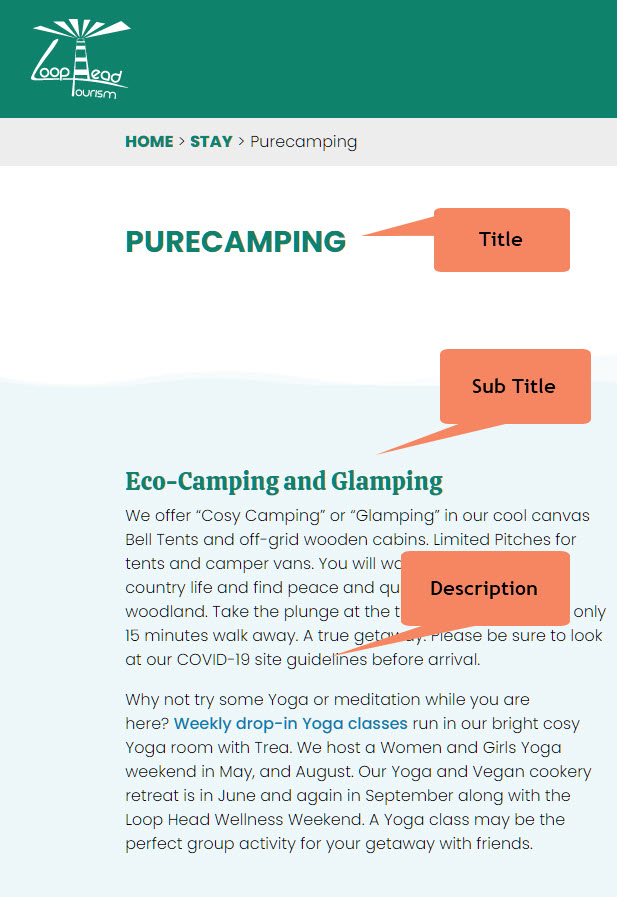
Figure 12
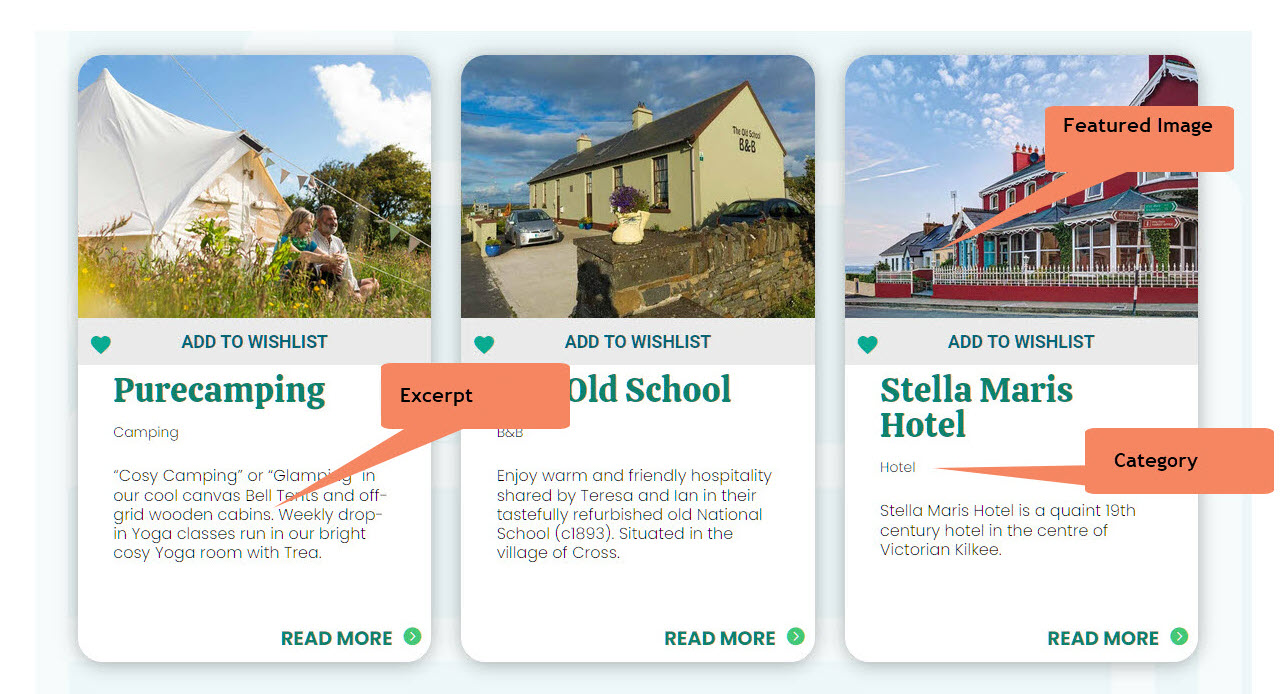
Figure 13